
Our work / Open source
Double marking, for Moodle
Two markers mark each submission on their own, and neither sees the other's mark until both are in. Close marks agree by a rule you set. Marks that differ go to the module lead. Nothing reaches the student until the lead releases it. It runs on the normal Assignment activity, and it is free and open source.
- 4.5 to 5.3 Moodle versions, on PHP 8.1 to 8.4
- GPL v3 free to use and change
- Alpha try it on a test site first
Why isn't double marking in Moodle already?
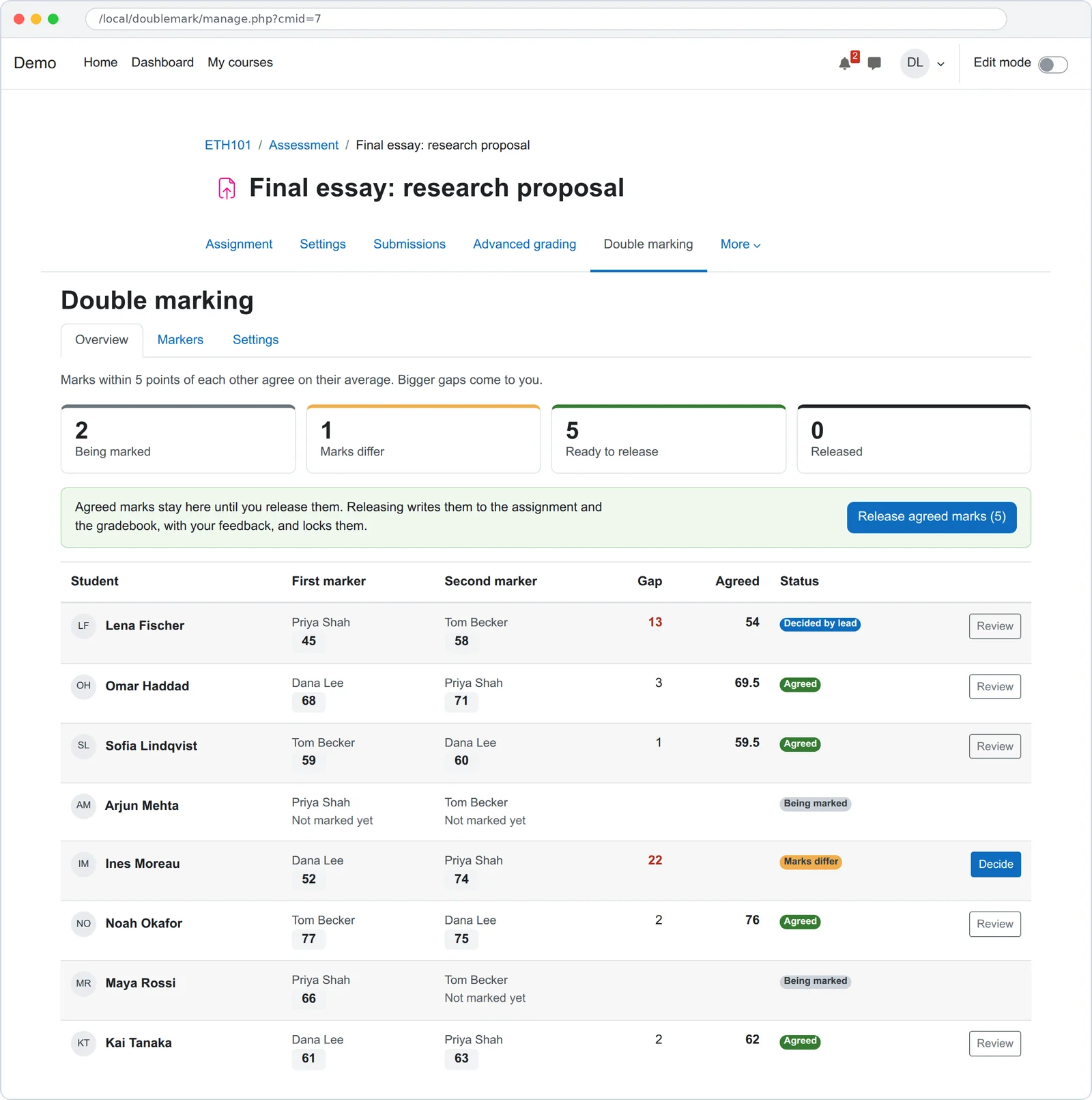
Many universities ask for a second marker on dissertations and high-stakes coursework. In Moodle that usually means a spreadsheet next to the course: each marker types their mark there, someone compares them, and the agreed mark goes into the assignment by hand. Work to add multiple markers to Moodle's own Assignment is paused waiting for funding. The plugins that exist either replace Assignment with a different activity, or let the first grader see everything. This one keeps Assignment, keeps the two marks apart, and keeps the agreement on record.
How does double marking work in this plugin?
- Turn it on. Open Double marking in the assignment's menu. Set the tolerance in points and what happens when marks are close.
- Share students out. One click gives every student two different markers, spread so nobody gets more than their share. Or pick them by hand.
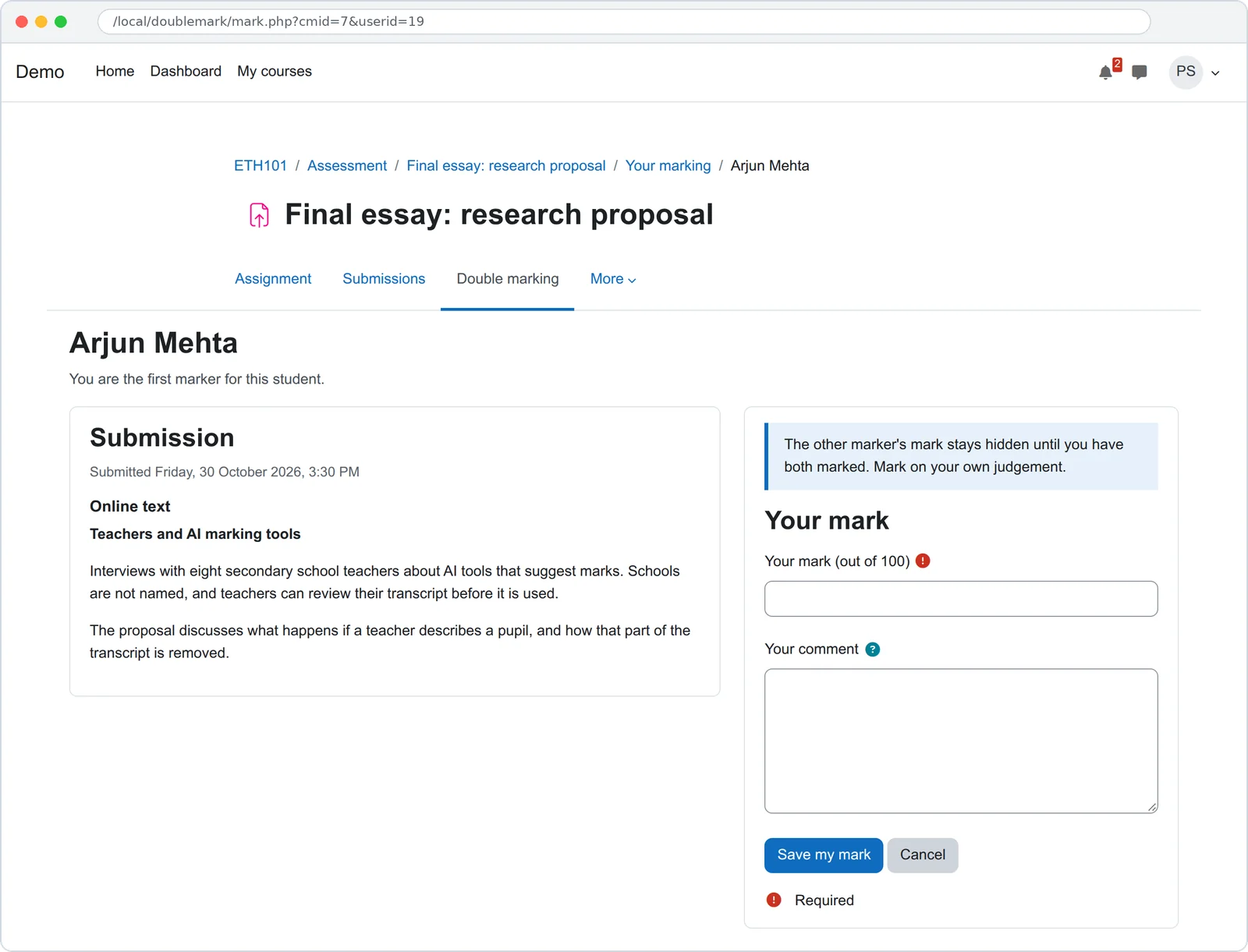
- Mark on your own. Each marker sees the submission and enters a mark and a private comment. The other mark stays hidden until both are in.
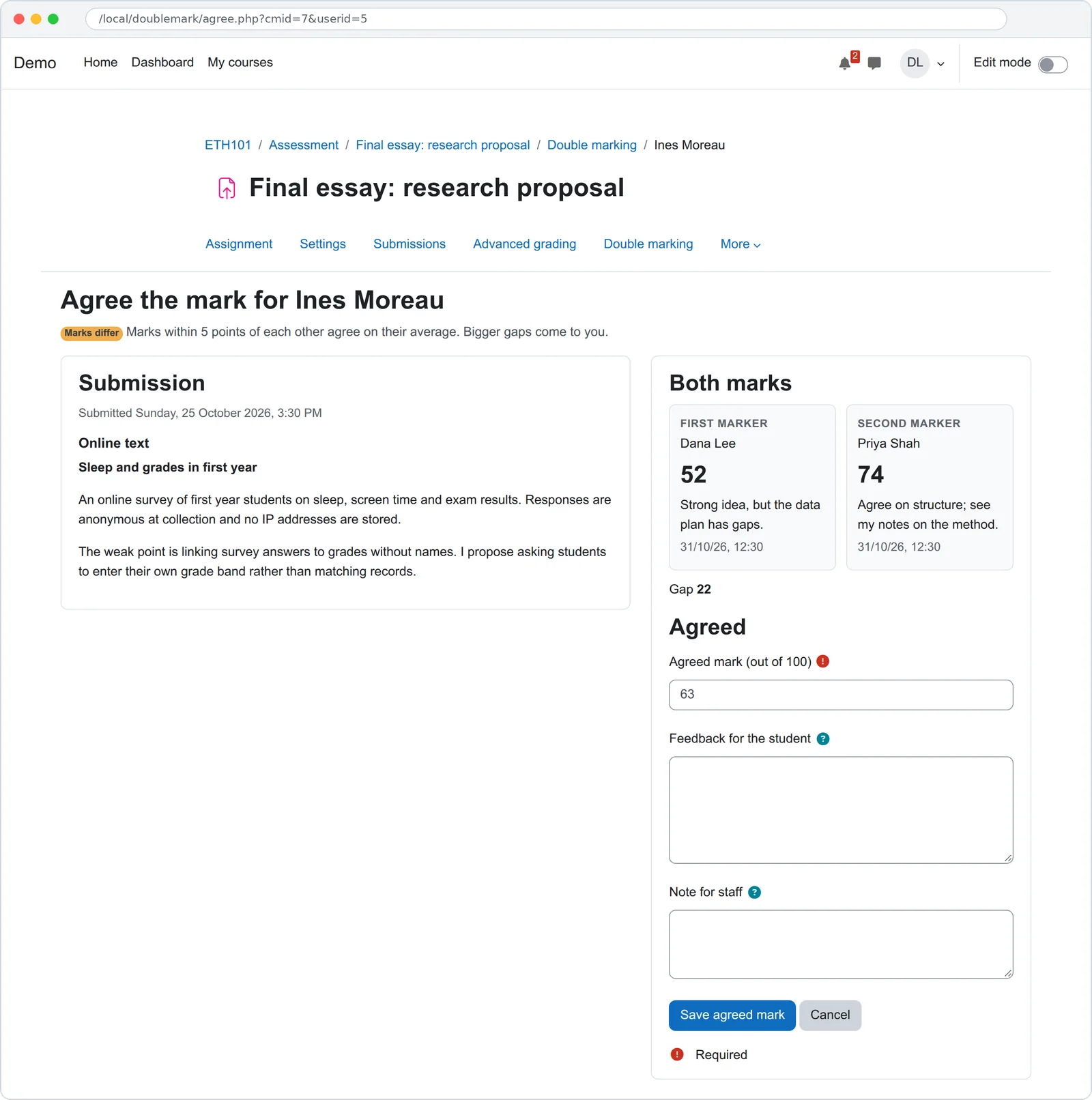
- Agree. Close marks agree by your rule. Marks further apart than the tolerance come to the lead, with both marks, both comments and the submission side by side.
- Release. One button writes the agreed marks to the assignment and the gradebook, with the lead's feedback. Released marks are locked.
What happens when the two marks are close?
You set a tolerance in points. If the marks are within it, they agree by the rule you choose. If not, the lead decides.
| Rule | Agreed mark |
|---|---|
| Average | Close marks agree on the mean of the two, to two decimal places. |
| Higher mark | Close marks agree on the higher of the two. |
| First marker | Close marks agree on the first marker's mark; the second marker checks it. |
| Lead decides | Every mark comes to the lead, however close the two are. |
- Marks stay apart. Markers mark on this plugin's page, not the assignment's grading screen, so there is no grade box to type into early.
- Stray grades get flagged. If someone types a grade in the assignment directly, the overview warns the lead before release.
- Moodle does the grading. Release goes through the assignment's own save, so the gradebook, feedback and marking workflow behave as usual.
- Works with anonymous submissions. Students show as Participant numbers while the assignment hides identities.
- On the record. Every mark, agreement and release is a Moodle log event, and the privacy tools export and delete it.
How is it tested?
PHPUnit covers the agreement rules and tolerance edge cases, allocation and share out, the hidden second mark, the lead's decision, release to the gradebook with and without marking workflow, and the privacy provider. Behat walks two markers and a lead through one essay, with Moodle's accessibility checks on every page. CI runs on Moodle 4.5 to 5.3, on PostgreSQL and MariaDB.


Questions people ask
How do I set up double marking in Moodle?
Install the plugin, open an assignment graded out of points, and choose Double marking in the assignment's menu. Turn it on, set a tolerance such as 5 points and a rule for close marks, then share students out to your markers. Markers find their list under the same menu.
Can the second marker see the first marker's mark?
No. Each marker sees only their own mark until both marks are in. After that both markers and the lead can see both marks and both comments. Students never see the markers' comments.
What happens when the two marks are far apart?
If the gap is bigger than the tolerance, the student shows as Marks differ on the lead's overview. The lead opens the agree page, reads both marks and comments next to the submission, and enters the agreed mark with feedback for the student and a note for staff.
Is this the same as Moodle's anonymous marking?
No. Moodle calls hiding student names blind marking. This plugin hides the markers' marks from each other. They work together: with anonymous submissions on, the double marking pages show Participant numbers instead of names.
Does it work with rubrics, scales or group submissions?
Not yet. Version 0.1 works with assignments graded out of points, one submission per student. The settings page says why when an assignment cannot use it. Rubric support and backup of the marks are planned.
Which Moodle versions does it support?
Moodle 4.5 to 5.3, on PHP 8.1 to 8.4, with PostgreSQL or MariaDB/MySQL.
Is it free?
Yes, open source under the GNU GPL v3. If you need a third marker, moderation samples, external examiner access or rubric support, we build that at a fixed price.
Need moderation or a third marker?
A third marker when two disagree, moderation samples, external examiner access, rubric support, or your own marking policy built in. We build that on top of this plugin at a fixed price.
Get a fixed priceBacked by Ta9in.